 Spot Healing Brush to the Rescue!
 |
 Simply Statues
 |
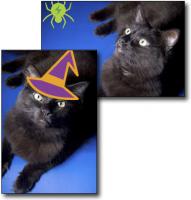
 Halloween Fun with Elements
 |
 Fading Color
 |
 Tips for Better Text, Pt. 2
 |
 Turning New into Old
 |
|
Use your local library |
 Realistic Reflections
 |
 Polaroid in a Picture
 |
 A Stroll Down Blend Mode Lane, Pt. 5
 |
 Cropping to the Rule of Thirds
 |
Pick a New Picker |
 Weathered Words
 |
Photoshop CS2 Survival Guide |
 Gettin' Grungy With It
 |
 Let It Snow!
 |
 Replacing Backgrounds with Photoshop's Background Eraser
 |
 Fixing Fringe
 |
 Super Sparkles
 |
 Classic Colorizing
 |
 Type Tricks
 |
 Selecting Frizzy Hair
 |
|
Classy Thumbnails |
 Fall Painterly Effect
 |
|
How to Create a Layer Mask in Elements |
Pixel Super Sleuthing |
 Get it Straight!
 |
 The Basics of Retouching People, Part 2
 |
 Delicious Duotones
 |
 Tips for Better Text, Pt. 1
 |
 Super Sparkling Eyes
 |
 Blurry Background a la Lensbabies
 |
|
Let Your Graphics Do the Talking |
Lesa's Top 10 Search Engine Optimization Tips |
 Color Shifting Made Easy
 |
Soft Edges |
 Hollow Text
 |
 Easy Embellishments
 |
|
Managing Photos with Bridge CS4, Part 2 |
Say hello to advanced red-eye and retouching tools |
 Fun with Elements Effects
 |
Creating Favicons |
 Fall Digital Scrapbooking Fun, Part 2
 |
Fabulous Feathers, Pt. 2 |
 Enhancing the Sunrise
 |
 Selective Color Photo Effect
 |
 How to Fix Animal White-Eye, Part 1
 |
 Build a Custom Twitter Background in Photoshop
 |
 Creating Cartoon Art
 |
Upsizing an Image with Minimal Quality Loss |










 ©Copyright 2004-2026 Lesa Snider