 Glare o' the Glasses
 |
 Using the Crop tool to increase canvas size
 |
 Eyes of the Otherworld
 |
 Turning New into Old
 |
 Correcting shadows and highlights
 |
 Polaroid in a Picture
 |
|
Joys of Optimizing JPEGs |
 Fall Digital Scrapbooking Fun, Part 1
 |
 Fixing Fringe
 |
Repainting Cabinets in Photoshop and Elements |
 Filters To the Rescue!
 |
Web navigation tips |
 A Stroll Down Blend Mode Lane, Pt. 1
 |
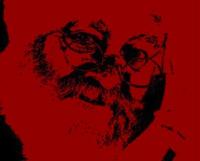
 The Che-Guevara Effect
 |
 Hollow Text
 |
 Digital Beauty Shop
 |
|
Creating Favicons |
 Protecting Your Photos Online, Pt. 1
 |
|
QuickTip: preparing t-shirt artwork in Illustrator |
Managing Photos with Bridge CS4, Part 1 |
 The Basics of Retouching People, Part 3
 |
 Blur Baby Blur!
 |
 Zoom Crop
 |
 Creative Combinations, Pt. 1
 |
 Get Sharp!
 |
 Protecting Your Photos Online, Pt. 2
 |
 A Stroll Down Blend Mode Lane, Pt. 2
 |
 Softening Freckles
 |
 Classic Colorizing
 |
 Creative Photo Frames, Pt. 1
 |
|
Mysteries of Unsharp Mask |
How to Fix Animal White-Eye, Part 2 |
|
Top 11 Keyboard Shortcuts |
 Fun with Elements Effects
 |
 Partial Color
 |
 Fall Painterly Effect
 |
 Easy Clipping Groups
 |
Secret Layer Masks |
 Get it Straight!
 |
 Simply Statues
 |
 How to create an animated 3D gif
 |
 Photoshopping People
 |
 Photo-Type
 |
 Color Cast Be Gone!
 |
 Type Tricks
 |
The Beginner's Guide to Image Editing, Part 1 |
 Serious Red-Eye Fixer Upper
 |
Fade to White |
 Fun with Adjustment Layers
 |
 Cropping to the Rule of Thirds
 |

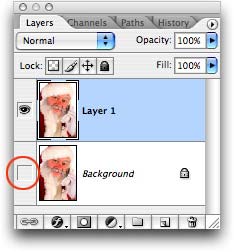 The question, "How do I create a









 ©Copyright 2004-2026 Lesa Snider