 Digital Beauty Shop
 |
 Halloween Fun with Elements
 |
 Fire It Up!
 |
 Fast uploading
 |
 Polaroid in a Picture
 |
Using the Crop tool to increase canvas size |
|
Use your local library |
 How to create an animated 3D gif
 |
|
Fabulous Fades |
 Break it up!
 |
|
The Beginner's Guide to Image Editing, Part 2 |
 How to Create Your Very Own Warp Trail
 |
 Festive Photo Frames
 |
 The Basics of Retouching People, Part 1
 |
 Fading Color
 |
The Beginner's Guide to Image Editing, Part 1 |
 A Stroll Down Blend Mode Lane, Pt. 3
 |
 Fall Digital Scrapbooking Fun, Part 2
 |
 Fun with Adjustment Layers
 |
 Shallow depth of field
 |
|
The Basics of Design |
 Simply Statues
 |
|
Picking the Perfect Palette |
 Simulating Pictures, Part 1: Flat Screens
 |
 Delicious Duotones
 |
 Color Shifting Made Easy
 |
 The Basics of Retouching People, Part 2
 |
 Protecting Your Photos Online, Pt. 1
 |
|
Photoshop CS2 Survival Guide |
Soft Edges |
|
Mysteries of Unsharp Mask |
 Ornamental Vector Grunge Frame
 |
|
Sensational Serigraphs, Pt. 2 |
 Creating Cartoon Art
 |
 Type Tricks
 |
Photo Spotlight |
|
Give Your Photos an Edge |
 Intensifying Color
 |
 Zapping Edge Haloes
 |
Pixel Super Sleuthing |
 Gettin' the Red Out
 |
 Sensational Serigraphs, Pt. 1
 |
 The Making of a Digital Camera Belly Ring
 |
Managing Photos with Bridge CS4, Part 1 |
 Digital Beauty Shop
 |
Fade to White |
 Printing color separations in Photoshop
 |
 Fall Leaf Photo Frame
 |
 Wrangling Web Graphics, Pt. 1
 |
 Serious Red-Eye Fixer Upper
 |


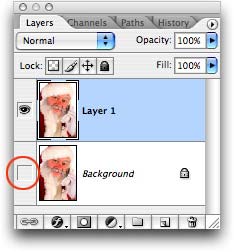 The question, "How do I create a









 ©Copyright 2004-2026 Lesa Snider